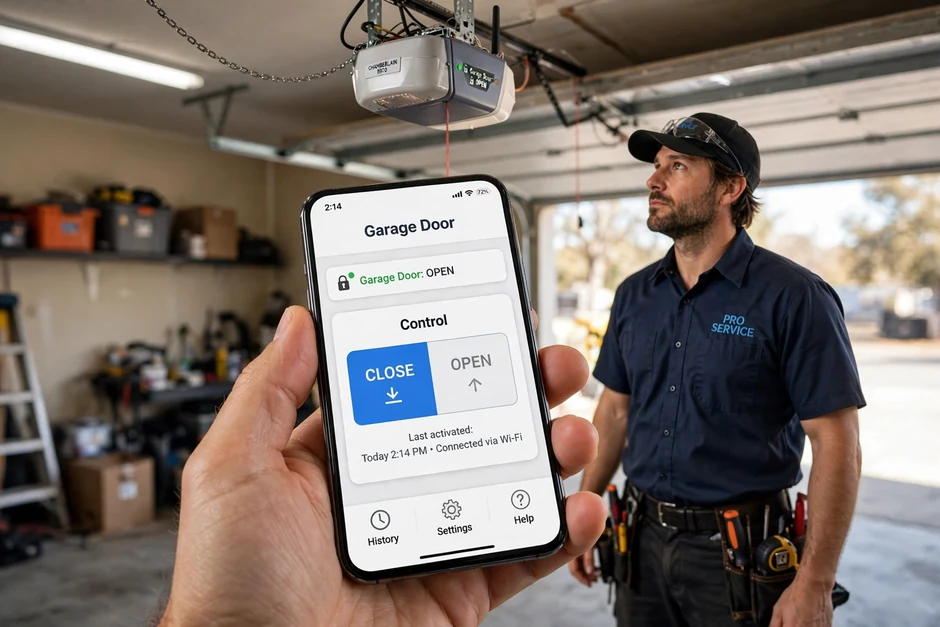
The phone app stopped working, again
The short answer: If your phone app stopped controlling your garage door after a power outage, the opener's Wi-Fi radio almost certainly lost its network connection, not the opener itself. The honest fix order is: power-cycle the opener, reboot the router, make sure your phone is on the 2.4 GHz band during setup, then re-run the Wi-Fi setup in the app. A factory reset of the opener's Wi-Fi is the last resort, not the first step. Call (615) 616-0612 if you would rather have us sort it out.
Smartphone-controlled openers are the single most frustrating device in many Mount Juliet garages. The pattern is always the same: it worked when it was installed, then a storm knocked the power out, and now the app spins, says offline, or demands yet another factory reset. Homeowners tell us they have reinstalled the app, rebooted everything, and sat through support calls, and the opener still drops off the network every few days. You are not doing it wrong. The connection chain is fragile, and we will walk through exactly where it breaks.
How the connection actually works
A smart opener has a Wi-Fi radio built into the motor unit. That radio joins your home network, and your phone app talks to the manufacturer's cloud servers, which relay commands back down to the opener. There are four links in that chain: your phone, your internet connection, your home Wi-Fi, and the opener's radio. If any one of them fails, the app stops working while the wall button and remotes keep working fine, because those talk directly to the opener over short-range radio and never touch the internet.
Two technical details explain most failures. First, most smart openers only carry a 2.4 GHz radio. The 2.4 GHz band travels through garage walls and brick far better than 5 GHz, which is why manufacturers chose it, but modern mesh routers with band steering constantly try to push devices onto 5 GHz. During setup, if your phone is on 5 GHz while the opener can only see 2.4 GHz, pairing fails. Second, the app does not talk to your garage directly. No internet means no app control, even if you are standing in the driveway with full Wi-Fi bars.
If the opener itself is misbehaving mechanically, that is a different job: see garage door opener repair. If the door will not close and the opener light blinks, check sensor repair first.
The power-outage disconnect: symptom, cause, fix
Symptom: after an outage, the app shows the opener offline, but the wall button and remotes work normally. Cause: when power returns, the router and the opener race to reconnect. If the router comes back with a changed network name, a new password, or aggressive band steering, the opener's Wi-Fi radio cannot rejoin and gives up. The opener's motor and radio receiver are undamaged; only the Wi-Fi session is lost.
- 1. Power-cycle the opener. Unplug the motor unit (or flip its breaker) for 30 seconds. This restarts the Wi-Fi radio without erasing your remotes or keypads.
- 2. Reboot the router and wait. Give it a full two minutes to come back and settle. In one real case we have seen, the fix required resetting both the opener's Wi-Fi and the router before the connection held.
- 3. Put your phone on the 2.4 GHz band. Temporarily join the 2.4 GHz network name during setup. This is the step most people miss.
- 4. Re-run the Wi-Fi setup in the app. Follow the app's add-device flow as if the opener were new.
- 5. Factory-reset the opener's Wi-Fi only as a last resort. This erases the network settings without touching your paired remotes. If even this fails, the Wi-Fi module itself may be failing, and we will test that on site.
Middle Tennessee ice storms make this a seasonal pattern. The January 2026 Nashville ice storm left homes without power for days, and every smart opener in the affected neighborhoods needed its Wi-Fi session rebuilt afterward. If your opener also lost its remote pairings in the outage, our keypad and remote programming visit covers that too.
The reset loop: connected Monday, dead by Friday
Symptom: the app connects after setup, then drops again within days, over and over. Cause: this is almost never a bad app. The three usual culprits are a weak Wi-Fi signal at the motor unit (metal doors and brick walls eat signal), a router that reboots on a schedule and strands the opener, or band steering that silently moves the opener to a band it cannot use.
What we do: we check the actual signal strength at the opener's location, not at your couch. If the signal is weak, the honest fixes are a Wi-Fi access point closer to the garage or a dedicated 2.4 GHz network name that band steering cannot touch. If the signal is strong and the opener still drops, the Wi-Fi module in the motor unit is the suspect, and we will tell you plainly whether a module replacement or a newer opener makes more sense. We do not sell you a new opener to fix a router problem.
Cameras and battery backup, described honestly
- Add-on cameras mount near the opener and give you a live view of the driveway plus motion alerts in the app. They are useful if you want to see deliveries or check whether the door closed. They do not make the door itself any safer or stronger.
- Battery backup lets the opener run a limited number of open and close cycles during a power outage. During Middle Tennessee ice-storm season, when the grid can go down for days, that is the difference between driving out and being stuck. It does not power anything else in the garage.
- Smart keypads combine a door-frame keypad with app control, so guests and delivery drivers can be let in with a temporary code from your phone.
Not every opener supports every accessory. Before you buy one, call us at (615) 616-0612 with your opener's model information and we will tell you what actually fits.
Smart opener help across Mount Juliet
We set up and troubleshoot smart openers throughout Mount Juliet and Wilson County. Many of the newer communities, including Providence, Wynfield, Triple Crown, and Kelsey Glen, were built with smartphone-ready openers, while older neighborhoods like Willoughby Station and Hickory Hills often need a Wi-Fi retrofit or a receiver upgrade to get app control. We run service along I-40 (exits 226 and 229), Lebanon Road (US-70), and Mt. Juliet Road (TN-171), and out toward the Donelson, Hermitage and Old Hickory corridor.
What to expect when you book
- Upfront price, agreed first
We inspect, explain what is wrong in plain language, and give you a fixed price. Work starts only after you approve it. - Most jobs $129-$399
That is the honest range for the repairs we do most often in Mount Juliet. If your job falls outside it, you will know the price before we start. - We show our work
Old parts stay with you if you want them, and we walk you through exactly what was done. - Tested before we leave
We cycle the door several times, check the safety sensors, and confirm your remotes and keypads work from the driveway.
Common questions
My phone app stopped working after a power outage. The door still works from the wall button. What should I do?
Does my smart garage door opener need 2.4 GHz Wi-Fi?
Can I still open my garage door if the internet goes down?
Why does my opener keep disconnecting from Wi-Fi every few days?
What do the add-on camera and battery backup actually do?
Related services
Garage Door Opener Repair
Motor, gear, and logic board diagnosis when the opener itself is the problem.
Keypad & Remote Programming
Move-in code resets and pairing for keypads, remotes, and car buttons.
Garage Door Sensor Repair
Photo-eye faults that keep the door from closing and blink the opener light.
Emergency Garage Door Service
Stuck, broken, or unsafe doors through our 24/7 emergency line.
Tired of the reset loop?
We will get your smart opener connected, stable, and tested, and tell you honestly if the problem is the opener, the router, or the signal. Most jobs $129-$399. Call (615) 616-0612.
Get your smart opener connected
Describe what your opener and app are doing. We serve Mount Juliet Monday through Friday 7AM to 7PM and Saturday 8AM to 4PM, with a 24/7 emergency line for stuck or unsafe doors.
Mount Juliet Garage Door Rescue
-
Phone
(615) 616-0612 -
Address
121 Adams Ln, Mount Juliet, TN 37122
-
Hours
Mon–Fri: 7AM – 7PM
Sat: 8AM – 4PM
Sun: Emergency Only
24/7 Emergency Line